Learning Framer to Make A Real Site
Make A Website Version
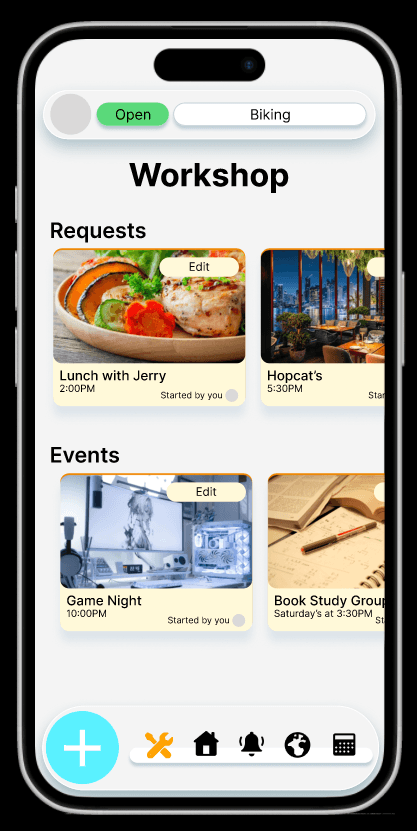
I wanted to create a real website for the Plano app. It needs to have the same theme, and be designed in a unique way.
There Was A Problem With Google
This was my 3rd and final project for the Google UX Certification. Before starting, something dawned on me…
Everything I was making was not real.
Figma is only conceptual, and does not function as a final product. Sitting with this made me uneasy. How am I to provide value in the marketplace, when I am incapable of making anything tangible?
I Searched For An Answer
That’s when I found Framer. It is a program that has a workflow like Figma, but is capable of functionality and live website publishing.
This, for me, was perfect. Using this platform, I didn’t need to code everything, and I could build a website faster than the standard process of Figma and code.
Huge Learning Curve
I was really tested here. The development for this website went like this:
Have an idea to make
Unsure how to make, so research what to do
Follow instructions and replicate
Issue occurs, so troubleshoot, sometimes return to research
Repeat
This process is very slow
And this was frustrating, because I felt like I couldn't make anything simple. But as tough as this is, I realized:
This is what progress feels like.
I was journeying beyond what I knew, in a program I had never used. And I knew that, by understanding the tool more, my workflow would get faster. And it did.
Hard things became simple, and that simple was my foundation.
Playing With Light
I think the future of design is light and depth. Apple’s liquid glass design is an example of that. In the past, computation couldn’t support this concept, but now with the help of AI, a UI can be more complex, and more real. How can I bring in more light and depth to my project?
Movement = Liveliness
I placed in moving text. Our brains are wired for noticing movement and change. I also created a parallax effect to simulate the elements being closer or further from the viewer.
Bright Mask = Light source
Increased brightness to the top of the page brings in a bit of realism.
It Got Too Busy
There was so much movement, and so much light, I couldn’t focus on the content anymore.
Too many strong elements confuses the viewer. Every element should have its place.
So I started to tone down and eliminate what was taking away from the content. Subtlety and balance brought the beauty back into the design.
Asking My Mom
I brought in my mom to test the copy to see if she could understand what my app does.
She had no idea.
This was concerning because I thought I already wrote a lot. So here was my process:
Describe the app with a clearer focus and theme.
Simplify, remove, and shorten.
Doing this stops the text from looking like a book, and balances out with the visuals.
To improve understanding, clarify the focus, then simplify.
Final Result
My first Framer site did exactly what I set out to do. It promoted my app, it promoted a call to action, and it was designed with light and depth in mind.
What Could Be Better
I think the card is thematic with the app while being eye-catching, but I still feel there is too much text, and not enough people/visuals. This app is about community after all.
If I develop this further, this website could also function like the app when someone logs in. But in its current state, it is not very robust.